 By Ethan Brooks
Updated November 2026
Craftsman weed eater accessories cover everything from replacement trimmer line and cutting heads to guards, shafts and edging attachments. The right accessory extends what your trimmer can do, while the wrong one can damage the drive shaft or leave you with uneven cuts. This guide shows you how to identify what your machine needs, match accessories to your yard, and keep them working.
Step 1: Identify Your Trimmer Model and Shaft Type
Before you buy anything, find the model number on the label near the engine or on the shaft housing. Craftsman has sold both straight-shaft and curved-shaft trimmers under several series, and attachments are not always interchangeable between them. Check whether your unit is gas, corded electric or battery powered, because that affects which heads and accessories are compatible.
Shopping for one? See our guide: 6 Best Weed Eater Gas Leaf Blower Combos for Yard Care (2026).
Also measure the shaft diameter if you plan to buy a new attachment. Many manufacturers specify a fixed shaft size, and a mismatch will not seat or lock properly.
Step 2: Choose the Right Cutting Head and Line
The cutting head is the accessory you will replace most often. Match the head to the line diameter your trimmer accepts, which is usually printed on the head or in the owner’s manual. Owners often report that heavier line than specified bogs the motor and causes premature head wear.
- Use the line gauge listed in your manual for the best balance of cutting power and engine load.
- Choose a bump-feed head for simple, quick line advance, or a fixed-line head if you cut thick, woody growth.
- Replace the head if the housing is cracked or the spring that holds the spool is damaged.
Step 3: Add Guards, Edging Attachments and Other Accessories
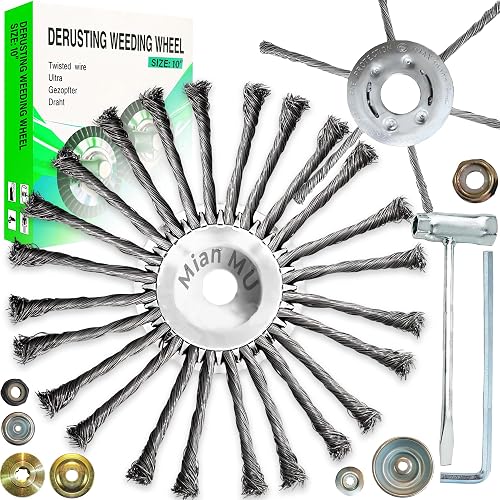
A guard protects you and the trimmer from debris, and a dedicated edging attachment lets you convert the trimmer into a tool for clean lawn borders. Edging attachments usually use a blade or a small wheel that rides along the edge of a walk or bed. Keep the guard on whenever you use a blade-based attachment, and confirm that the blade is rated for your engine’s rotational speed before installing it.
If you want a deeper look at what a dedicated edger can do compared with a trimmer, see Lawn Edger vs Weed Wacker: Which Should You Choose?. For edge-specific tool options, Craftsman Manual Lawn Edger: How to Choose and Use One for Clean Lines covers a related Craftsman product.
Step 4: Install, Test and Maintain Each Accessory
Always disconnect the spark plug wire on gas units or remove the battery and unplug corded models before changing anything. Tighten fasteners to the torque the manual specifies, then run the trimmer at idle for a minute to check for wobble or vibration. A vibrating accessory usually means it is not seated correctly.
| Accessory | Check before use | Replace when |
|---|---|---|
| Cutting head | Line feeds smoothly, cover snaps shut | Housing cracks or spring fails |
| Guard | Mounting screws are tight | Bent or missing sections |
| Edging blade | Blade is sharp and secured | Chipped, bent or dull beyond sharpening |
| Drive shaft | No bends or play at the joint | Bent, cracked or loose at the connection |
Common Mistakes to Avoid
- Buying an accessory by name alone without confirming the model or shaft size.
- Running a blade or edging attachment without the guard in place.
- Overloading the trimmer with line heavier than the manual allows.
- Skipping cleaning, which lets grass and debris clog the spool and cause uneven feed.
- Ignoring small cracks, which often grow into failures during use.
Recommended Gear
A quality replacement line spool with the right gauge keeps your trimmer cutting efficiently without constant adjustment. View on Amazon
A simple trimmer line tool or line cutter makes it quick to trim line to the correct length after reloading. View on Amazon
A small set of replacement guard screws is useful if the original hardware has stripped or gone missing. View on Amazon
FAQ
Can I use any brand of accessory on a Craftsman weed eater?
Not always. Shaft diameter, mounting style and line specifications differ between manufacturers, so confirm compatibility with your model number before buying. Using a mismatched part can damage the drive system.
How do I know what line size my Craftsman trimmer needs?
The recommended line diameter is usually printed on the cutting head or listed in the owner’s manual. Stay at or below that size to avoid overloading the engine or motor.
Should I still use the guard if I add an edging blade?
Yes. The guard shields you and the surrounding area from debris and blade contact, and it should stay in place whenever a blade attachment is installed.
Conclusion
Start with your model number, then choose cutting heads, guards and edging accessories that match its shaft size and line specification. Install each part carefully, test it at idle and inspect it regularly for cracks or wear. A few minutes of checking keeps your trimmer cutting cleanly season after season.
Related reading
- Weed Eater Echo Parts: How to Find, Identify and Replace the Right Ones
- Weed Eater Battery Powered: How to Choose and Use One for Clean Trims
Ready to choose one?
About Ethan Brooks
Ethan Brooks is part of our editorial team and reviews and edits our lawn edging & trimming guides, checking product details against manufacturer specifications and owner feedback.